

Configure Endpoint Auto Login
Configure Endpoint Auto Login
Section titled “Configure Endpoint Auto Login”PlaceOS requires all interactions to be authenticated and associated with a specific identity. This includes fixed devices such as visitor sign-in kiosks or public information displays. Endpoint auto-login can provide persistent sessions for this style of shared device.
{% hint style=“success” %} When PlaceOS uses an external Identity Provider with unattended device login, it should use a standard SSO flow. Auto-login provides an option for devices or environments which may not support this. {% endhint %}
Prerequisites
Section titled “Prerequisites”- Confirm the final UAT and PROD URLs of the web apps
- Ensure that the DNS entries for these URLs are active and forwarding to the server(s)
- Ensure that the SSL certificates for the above domains are signed and recognized as secure
Step 1: Create a local user account
Section titled “Step 1: Create a local user account”- Login as an admin to Backoffice
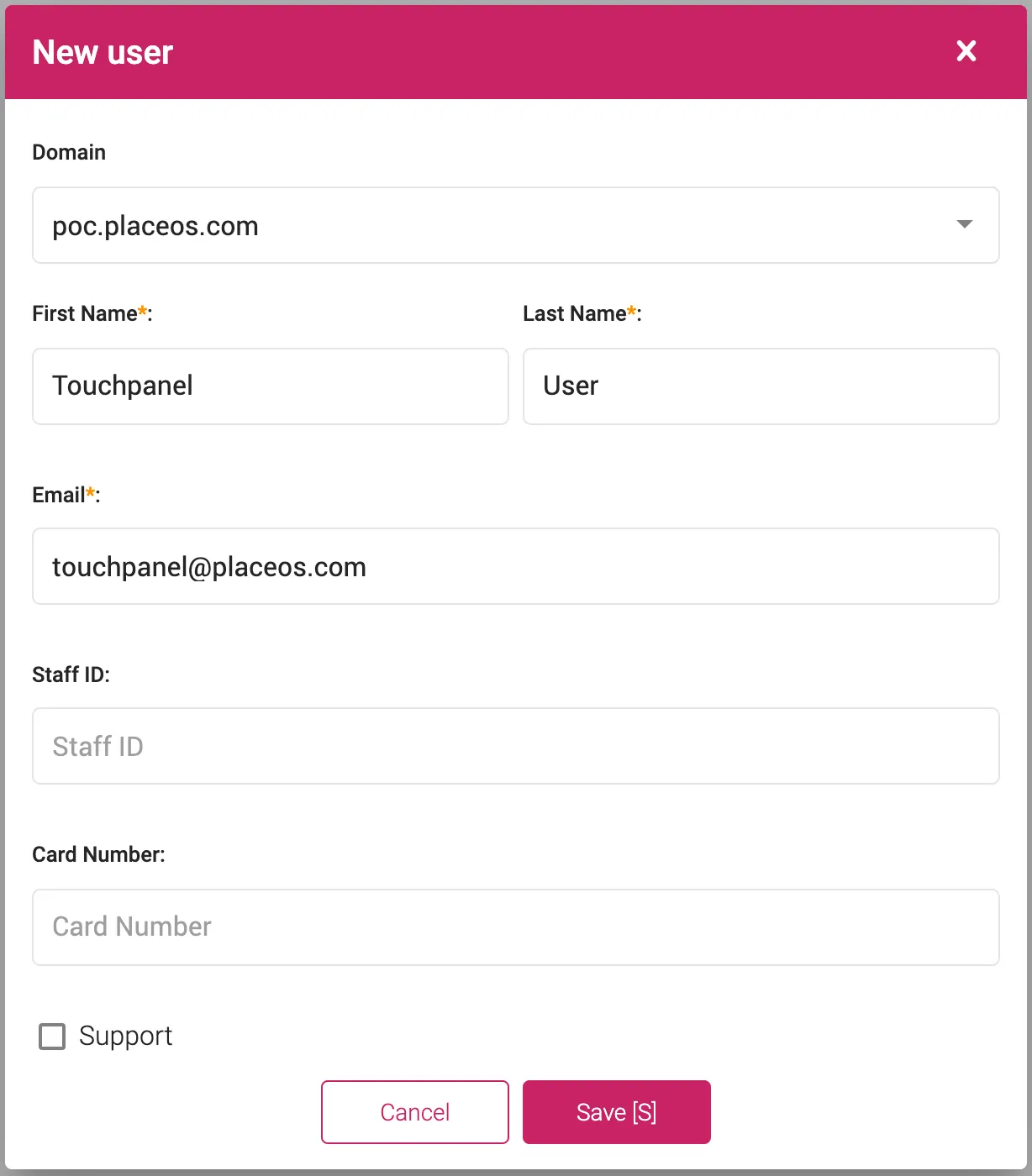
- On the Users click Add new
- Enter the required information, including a descriptive username (e.g.
Touchpanel User) - Enter an email address (this does not need to be an active address)
- No password required
Step 2: Create an X-API-Key for panel authentication
Section titled “Step 2: Create an X-API-Key for panel authentication”Follow the X-API-Key guide, specifying the service account created in the previous step
Step 3: Construct URL for Applications
Section titled “Step 3: Construct URL for Applications”Most PlaceOS applications can be passed a the API Key as a query parameter, so a destination URL such as:
/booking-panel/#/?**panel=**sys-F2u1l-oyxJ&**x-api-key=**be2aba8c8bd2be2a5c719339695b5a63.Edm7STXHDbacbsytz4RGvFc51PnBdQtcU9Yo7BSSVHw
Would be encoded and configured as the continue param:
/auth/login?continue=%2Fbooking-panel%2F%23%2F%3Fpanel%2Fsys-F2u1l-oyxJ%3Fx-api-key%3Dbe2aba8c8bd2be2a5c719339695b5a63.Edm7STXHDbacbsytz4RGvFc51PnBdQtcU9Yo7BSSVHw
The application will use the API key for authentication and will display a bootstrap page for system selection, unless provided additional params that specify a system.